







 課程簡介
課程簡介
Microsoft 最新推出的 Windows Server 2016
提供廣泛的全新及增強功能,橫跨伺服器虛擬化、儲存空間、軟體定義的網路、伺服器管理與自動化、Web
與應用程式平台、存取與資訊保護、虛擬桌面基礎結構等等。
Windows Server 2016 也增強了多方面的功能,包括 Nano Server、Hyper-V Containers、也支援
Windows Server App 的安裝,可以為 Nano Server 安裝 Agents、工具和應用程式。而且
Windows Server 2016 的啟動速度比以往更快,加上擁有內建的安全性和保安功能,都能保障用家資料的私隱和安全,所以 Windows
Server 2016
勢必成為下一代主流的伺服器作業系統。
我們最新推出的 MCSA: Windows Server 2016 課程內容以系統管理與設定組態工作為主,讓從事 I.T.
人士或初入行者都能對最新的操作系統 Windows Server 2016
的安裝方法、功能設定、網絡管理、擬難排解、以及技術支援等有更深入的認識。完成課程後可考取 MCSA: Windows Server 2016 專業證書。
本課程暫只接受 團體 / 企業 / 政府部門 報讀 . 多謝支持 !
個人增值進修 , 請報讀最新
Microsoft Certified : Windows Server
Hybrid Administrator !

|
 有志投身 I.T. 界的人士系統管理員、電腦技術員、網絡管理員對最新的 Microsoft
產品技術有興趣修讀條件:具有 Windows
系統有基本操作經驗擁有互聯網及網絡的基本概念對電腦管理及運作有濃厚與趣 有志投身 I.T. 界的人士系統管理員、電腦技術員、網絡管理員對最新的 Microsoft
產品技術有興趣修讀條件:具有 Windows
系統有基本操作經驗擁有互聯網及網絡的基本概念對電腦管理及運作有濃厚與趣
|
 |
課程包括:
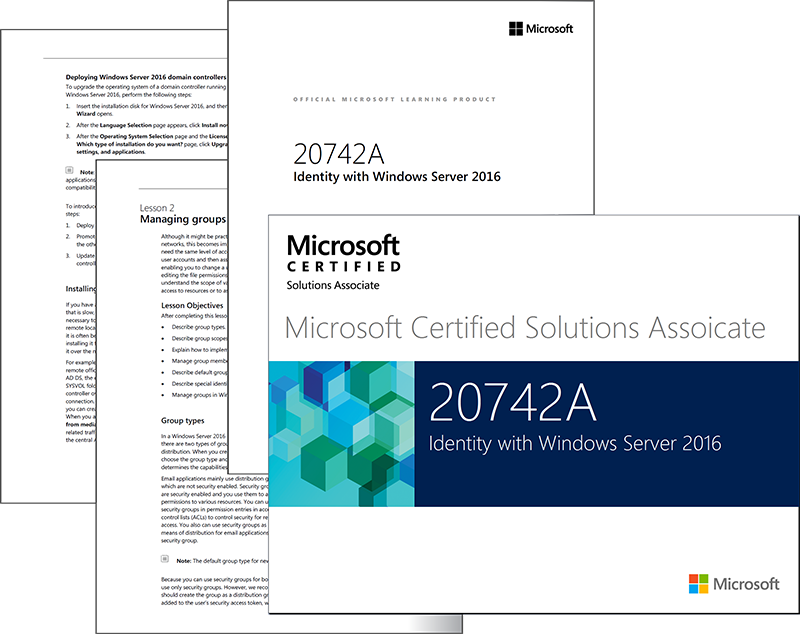
導師精心編製
MCSA: Windows Server 2016 課程筆記MCSA: Windows
Server 2016 電子書課本Microsoft
Windows Server 2016 試用版光碟一隻一人一機實習,針對各科考試要點溫習再配合不同層次的
Lab Test 練習課程由 Microsoft Certified Trainer (MCT) 親自統籌


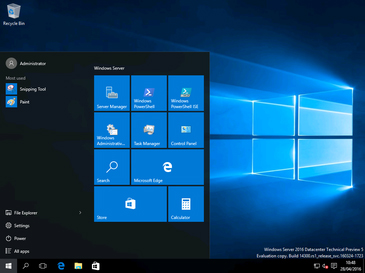 Windows Server 2016 Desktop |
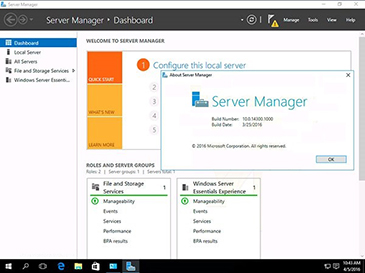 Windows Server 2016 Server Manager |
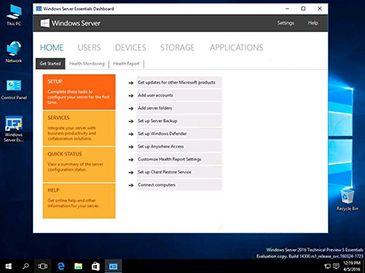 Windows Server 2016 Dashboard |
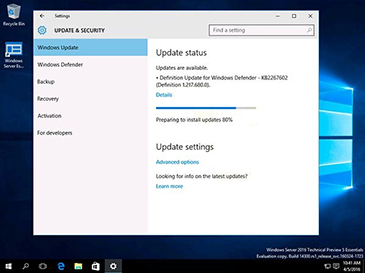 Windows Server 2016 System Update |
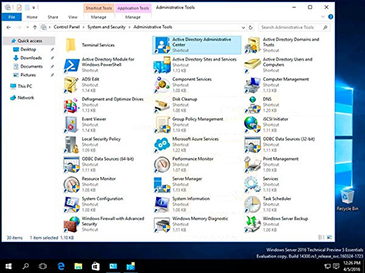 Windows Server 2016 Administrative Tools |
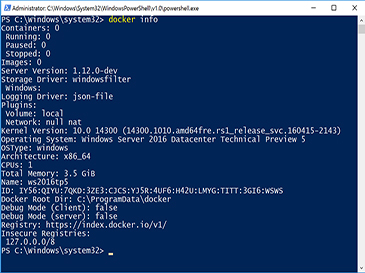 Windows Server 2016 Power Shell |
課程電腦設備:


授課語言:
課程全長:
單科 (70-740 / 70-741 / 70-742)
4 堂 x 3 小時 ( Instructor-Led 導師主導課堂 : 理論 + 實戰 ) , 合共 12 小時
全科 (70-740 + 70-741 + 70-742)
12 堂 x 3 小時 ( Instructor-Led 導師主導課堂 : 理論 + 實戰 ) , 合共 36 小時
開課及上課日期 ( 真人教授 , 1 人1 機 , 100% 保證開班 ) :
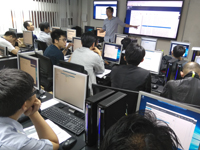 |
課堂實況 - 100% 真人教授 , 真正 1 人 1 機 , 學員同步實戰 ! 本中心 Microsoft 課程 , 教材內容均由 Microsoft Certified Trainer 統籌 , ( 保證不會出現 「睇唔明 , 學唔識 , 睇 Video , 無限 LOOP 」 的 荒謬情況 ! ) 提防受騙 ! 我們發現有教育中心 聲稱 能夠為學員提供 1 人 1 機 的學習環境 , |
學員請選擇報讀 最新 Microsoft Certified : Windows Server Hybrid Administrator , 詳情按此 .
* 單科 70-740 - Installation, Storage, and Compute with Windows Server 2016 單科課程
本課程暫只接受 團體 / 企業 / 政府部門 報讀 . 多謝支持 !
( 歡迎與本中心接洽 , 商討任何形式合作安排 . )
* 單科70-741 - Networking with Windows Server 2016 單科課程
本課程暫只接受 團體 / 企業 / 政府部門 報讀 . 多謝支持 !
( 歡迎與本中心接洽 , 商討任何形式合作安排 . )
* 單科 70-742 - Identity with Windows Server 2016 單科課程
本課程暫只接受 團體 / 企業 / 政府部門 報讀 . 多謝支持 !
( 歡迎與本中心接洽 , 商討任何形式合作安排 . )
* 單科 70-744 - Securing Windows Server 2016 單科課程
本課程暫只接受 團體 / 企業 / 政府部門 報讀 . 多謝支持 !
( 歡迎與本中心接洽 , 商討任何形式合作安排 . )
學員請選擇報讀 最新 Microsoft Certified : Windows Server Hybrid Administrator , 詳情按此 .
輕鬆學習 MCSE : Core Infrastructure 全部內容
HK$ 5,480 ( 分段付款計劃 : 首階段 HK$ 2,980 + 次階段 HK$ 2,500 , 歡迎與本中心職員查詢相關安排 . )
HK$ 5,480 ( 正價 )
本課程暫只接受 團體 / 企業 / 政府部門 報讀 . 多謝支持 !
輕鬆學習 MCSA : Windows Server 2016 全部內容 (70-740 + 70-741 + 70-742)
HK$ 4,980 ( 正價 )
本課程暫只接受 團體 / 企業 / 政府部門 報讀 . 多謝支持 !
MCSA 單科 : 70-740 / 70-741 / 70-742
HK$ 2,080 ( 正價 - 每單科計 - 不可 與其他優惠同時使用 )
本課程暫只接受 團體 / 企業 / 政府部門 報讀 . 多謝支持 !
MCSE 單科 : 70-744
HK$ 2,280 ( 正價 - 每單科計 - 不可 與其他優惠同時使用 )
本課程暫只接受 團體 / 企業 / 政府部門 報讀 . 多謝支持 !
( 通過 WhatsApp 即可查詢優惠詳情 )
|
請即致電 2380 9888 / WhatsApp 確認優惠 . * 需於 6 月 23 日 或前 #完成報名手續 . |
*** 我們致力提供 最優質 的服務 , 學員親身報名前 , 敬請預先 確認學額 , 以便安排 . *** 星期一 至 星期五 : 13:30 PM - 20:00 PM 其他公眾假期 : 報名處 休息 ( 電話留位 , 全天候如常服務 . 歡迎於上述 辦公時間 致電 / WhatsApp 查詢 ) |
|

提示 : 你可在薪俸稅下申請扣除你的個人進修開支 (包括本課程的 課程費用 及 考試費用) .
學員報讀課程時 , 可以 選擇 保留學額 , 並於 12 個月 內 展開 所報讀的 課程組合 , 進修日程更具彈性 !



試題數量: 44-50 題
考試時間: 120 分鐘
合格分數: 700 / 1000 分
模擬試題參考

(70-741) Networking with Windows Server 2016
試題數量: 44-50 題
考試時間: 120 分鐘
合格分數: 700 / 1000 分
模擬試題參考
(70-742) Identity with Windows Server 2016
試題數量: 44-50 題
考試時間: 120 分鐘
合格分數: 700 / 1000 分
模擬試題參考
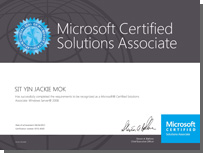
成功通過考試後獲得的國際認可證書及資格:
70-740: Installation, Storage, and Compute with Windows Server 2016
Module 1: Installing, upgrading, and migrating servers and workloads
- Introducing Windows Server 2016
- Preparing and installing Nano Server and Server Core
- Preparing for upgrades and migrations
- Migrating server roles and workloads
- Windows Server activation models
Module 2: Configuring local storage
- Managing disks in Windows Server 2016
- Managing volumes in Windows Server 2016
Module 3: Implementing enterprise storage solutions
- Overview of direct-attached storage, network-attached storage, and storage area networks
- Comparing Fibre Channel, iSCSI, and FCoE
- Understanding iSNS, data centre bridging, and MPIO
- Configuring sharing in Windows Server 2016
Module 4: Implementing Storage Spaces and Data Deduplication
- Implementing Storage Spaces
- Managing Storage Spaces
- Implementing Data Deduplication
Module 5: Installing and configuring Hyper-V and virtual
machines
- Overview of Hyper-V
- Installing Hyper-V
- Configuring storage on Hyper-V host servers
- Configuring networking on Hyper-V host servers
- Configuring Hyper-V virtual machines
- Managing Hyper-V virtual machines
Module 6: Deploying and managing Windows Server and Hyper-V
containers
- Overview of containers in Windows Server 2016
- Deploying Windows Server and Hyper-V containers
- Installing, configuring, and managing containers
Module 7: Overview of high availability and disaster recovery
- Defining levels of availability
- Planning high availability and disaster recovery solutions with Hyper-V virtual machines
- Backing up and restoring the Windows Server 2016 operating system and data by using Windows Server B
- High availability with failover clustering in Windows Server 2016
Module 8: Implementing and managing failover clustering
- Planning a failover cluster
- Creating and configuring a new failover cluster
- Maintaining a failover cluster
- Troubleshooting a failover cluster
- Implementing site high availability with stretch clustering
Module 9: Implementing failover clustering for Hyper-V
virtual machines
- Overview of integrating Hyper-V in Windows Server 2016 with failover clustering
- Implementing and maintaining Hyper-V virtual machines on failover clusters
- Key features for virtual machines in a clustered environment
Module 10: Implementing Network Load Balancing
- Overview of NLB clusters
- Configuring an NLB cluster
- Planning an NLB implementation
Module 11: Creating and managing deployment images
- Introduction to deployment images
- Creating and managing deployment images by using MDT
- Virtual machine environments for different workloads
Module 12: Managing, monitoring, and maintaining virtual
machine installations
- WSUS overview and deployment options
- Update management process with WSUS
- Overview of PowerShell DSC
- Overview of Windows Server 2016 monitoring tools
- Using Performance Monitor
- Monitoring Event Logs
70-741: Networking with Windows Server 2016
Module 1: Planning and implementing an IPv4 network
- Planning IPv4 addressing
- Configuring an IPv4 host
- Managing and troubleshooting IPv4 network connectivity
Module 2: Implementing DHCP
- Overview of the DHCP server role
- Deploying DHCP
- Managing and troubleshooting DHCP
Module 3: Implementing IPv6
- Overview of IPv6 addressing
- Configuring an IPv6 host
- Implementing IPv6 and IPv4 coexistence
- Transitioning from IPv4 to IPv6
Module 4: Implementing DNS
- Implementing DNS servers
- Configuring zones in DNS
- Configuring name resolution between DNS zones
- Configuring DNS integration with Active Directory Domain Services (AD DS)
- Configuring advanced DNS settings
Module 5: Implementing and managing IPAM
- IPAM overview
- Deploying IPAM
- Managing IP address spaces by using IPAM
Module 6: Remote access in Windows Server 2016
- Remote access overview
- Implementing Web Application Proxy
Module 7: Implementing DirectAccess
- Overview of DirectAccess
- Implementing DirectAccess by using the Getting Started Wizard
- Implementing and managing an advanced DirectAccess infrastructure
Module 8: Implementing VPNs
- Planning VPNs
- Implementing VPNs
Module 9: Implementing networking for branch offices
- Overview of high performance networking features
- Networking features and considerations for branch offices
- Implementing Distributed File System (DFS) for branch offices
- Implementing BranchCache for branch offices
Module 10: Configuring advanced networking feature
- Configuring advanced Hyper-V networking features
- Creating and using Microsoft Hyper-V virtual switches
- Configuring and using the advanced features of a virtual switch
Module 11: Implementing software defined networking
- Overview of software defined networking
- Implementing network virtualization
- Implementing Network Controller
70-742: Identity with Windows Server 2016
Module 1: Installing and configuring DCs
- Overview of AD DS
- Overview of AD DS DCs
- Deploying DCs
Module 2: Managing objects in AD DS
- Managing user accounts
- Managing groups in AD DS
- Managing computer accounts
- Using Windows PowerShell for AD DS administration
- Implementing and managing organizational units
Module 3: Advanced AD DS infrastructure management
- Overview of advanced AD DS deployments
- Deploying a distributed AD DS environment
- Configuring AD DS trusts
Module 4: Implementing and administering AD DS sites and
replication
- Overview of AD DS replication
- Configuring AD DS sites
- Configuring and monitoring AD DS replication
Module 5: Implementing Group Policy
- Introducing Group Policy
- Implementing and administering GPOs
- Group Policy scope and Group Policy processing
- Troubleshooting the application of GPOs
Module 6: Managing user settings with GPOs
- Implementing administrative templates
- Configuring Folder Redirection and scripts
- Configuring Group Policy preferences
Module 7: Securing AD DS
- Securing domain controllers
- Implementing account security
- Audit authentication
- Configuring managed service accounts (MSAs)
Module 8: Deploying and managing AD CS
- Deploying CAs
- Administering CAs
- Troubleshooting and maintaining CAs
Module 9: Deploying and managing certificates
- Deploying and managing certificate templates
- Managing certificate deployment, revocation, and recovery
- Using certificates in a business environment
- Implementing and managing smart cards
Module 10: Implementing and administering AD FS
- Overview of AD FS
- AD FS requirements and planning
- Deploying and configuring AD FS
- Overview of Web Application Proxy
Module 11: Implementing and administering AD RMS
- Overview of AD RMS
- Deploying and managing an AD RMS infrastructure
- Configuring AD RMS content protection
Module 12: Implementing AD DS synchronization with Azure AD
- Planning and preparing for directory synchronization
- Implementing directory synchronization by using Azure AD Connect
- Managing identities with directory synchronization
Module 13: Monitoring, managing, and recovering AD DS
- Monitoring AD DS
- Managing the AD DS database
-
Recovering AD DS objects